
MakeNodes
A phygital toolkit that empowers people with intellectual disabilities to design and build their own smart spaces — no code, no screens, just physical nodes they can pair with their hands.
The people who could benefit most from IoT are excluded from building it.
IoT devices are everywhere, but individuals with intellectual disabilities are almost entirely excluded from designing and building them. Existing maker toolkits assume technical literacy, and even simplified approaches rarely address cognitive accessibility, fine motor challenges, or the need for scaffolded interaction. More critically, most toolkits treat smart objects as isolated units, ignoring the networked, cause-and-effect nature of IoT ecosystems.
Physical nodes, no screens, no code — just pair and place.
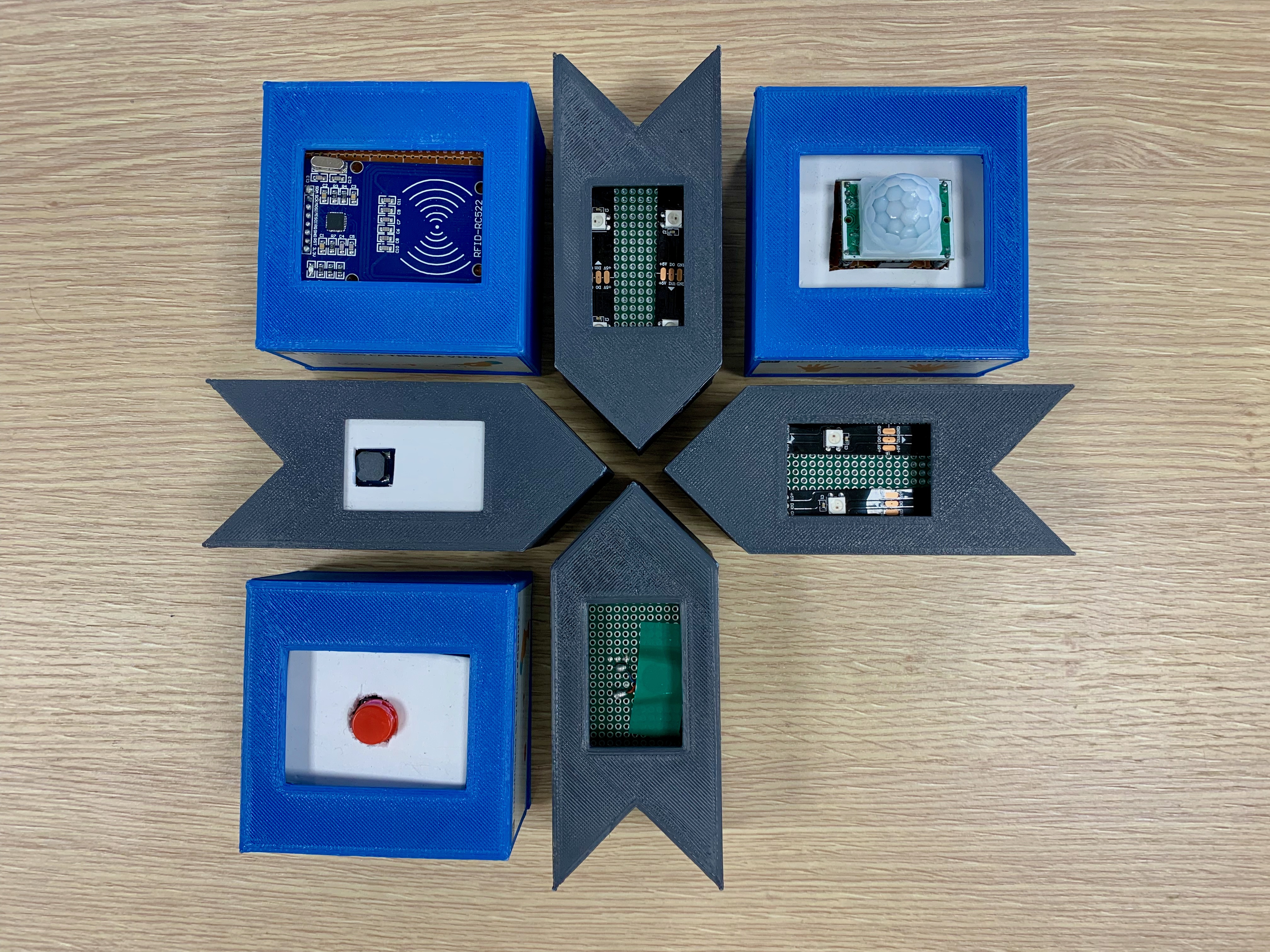
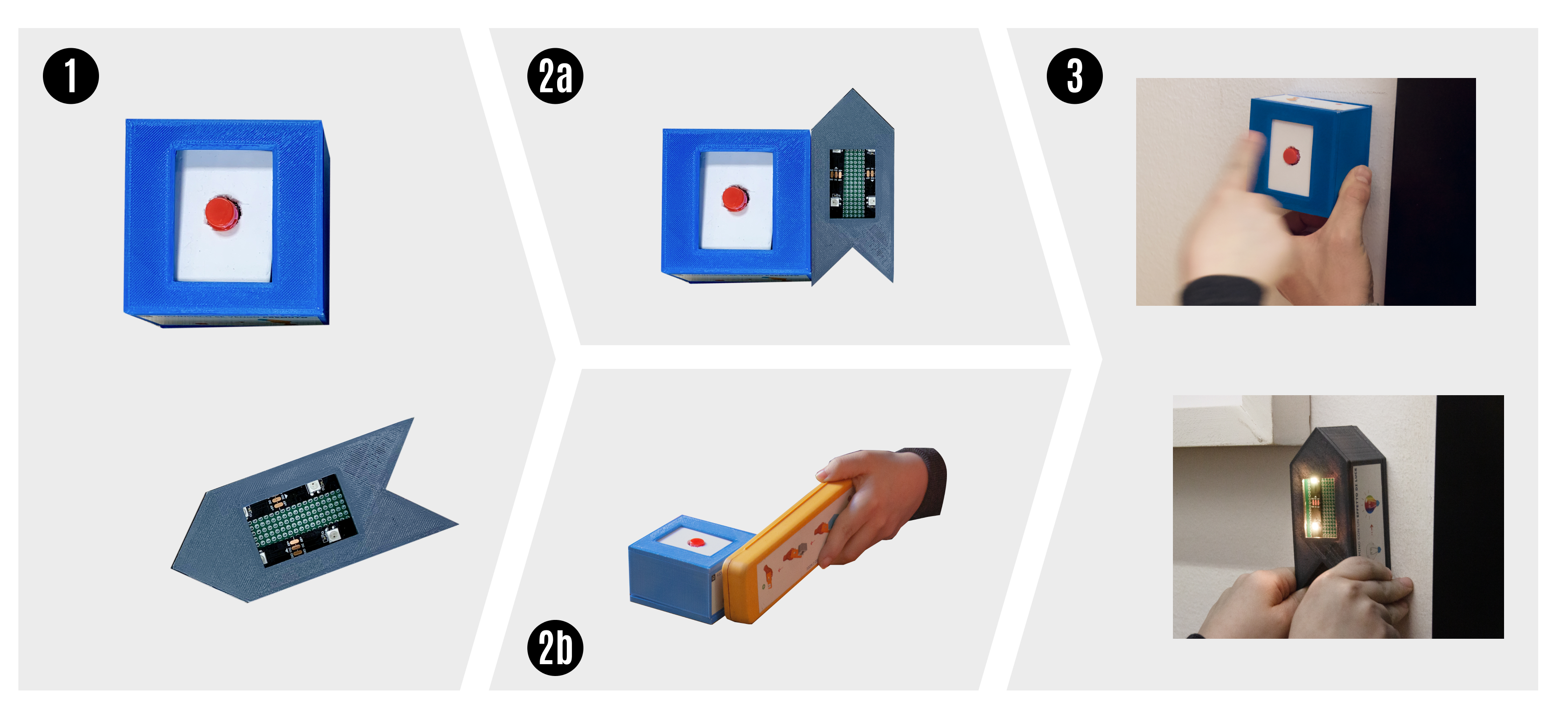
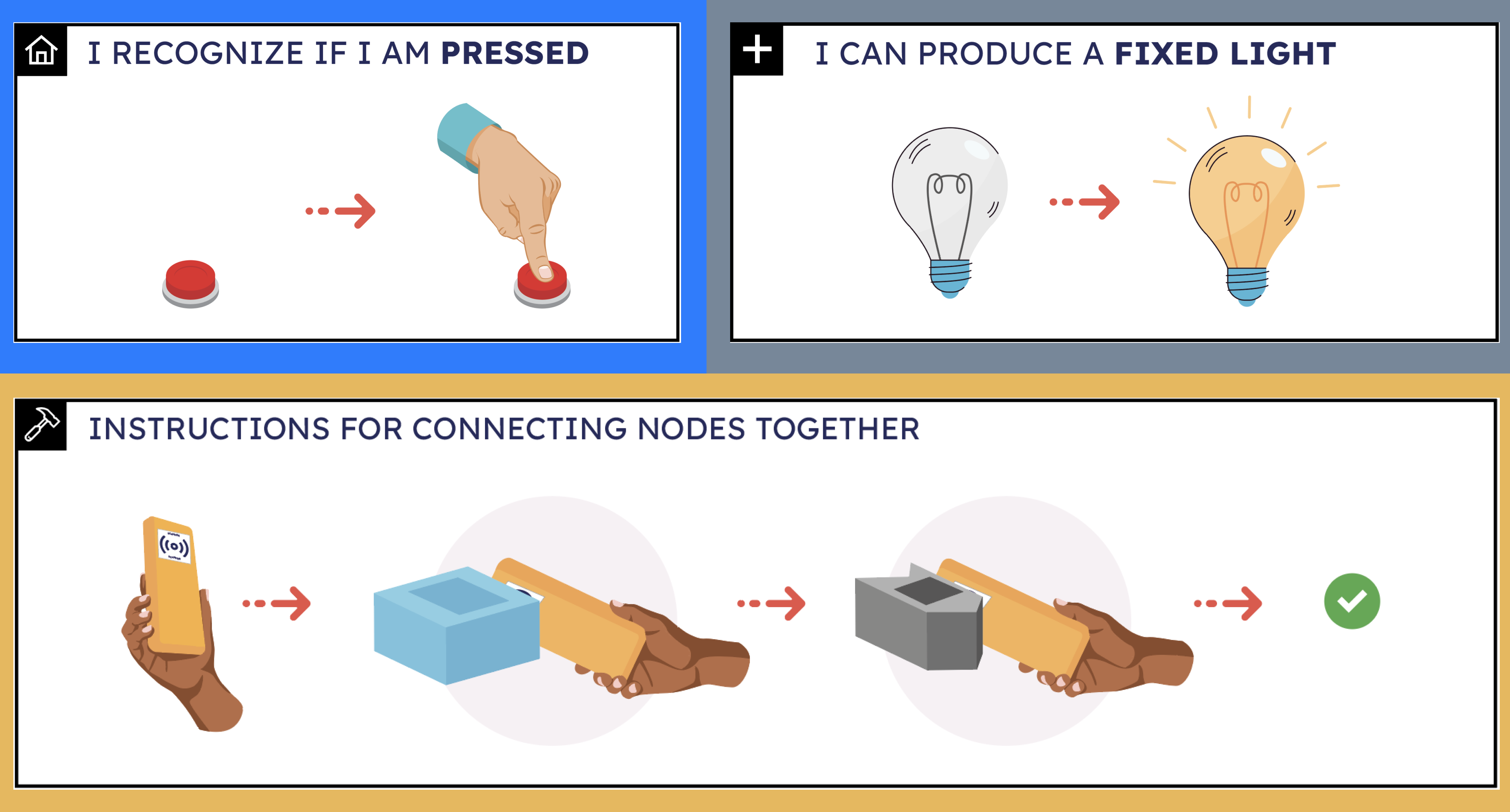
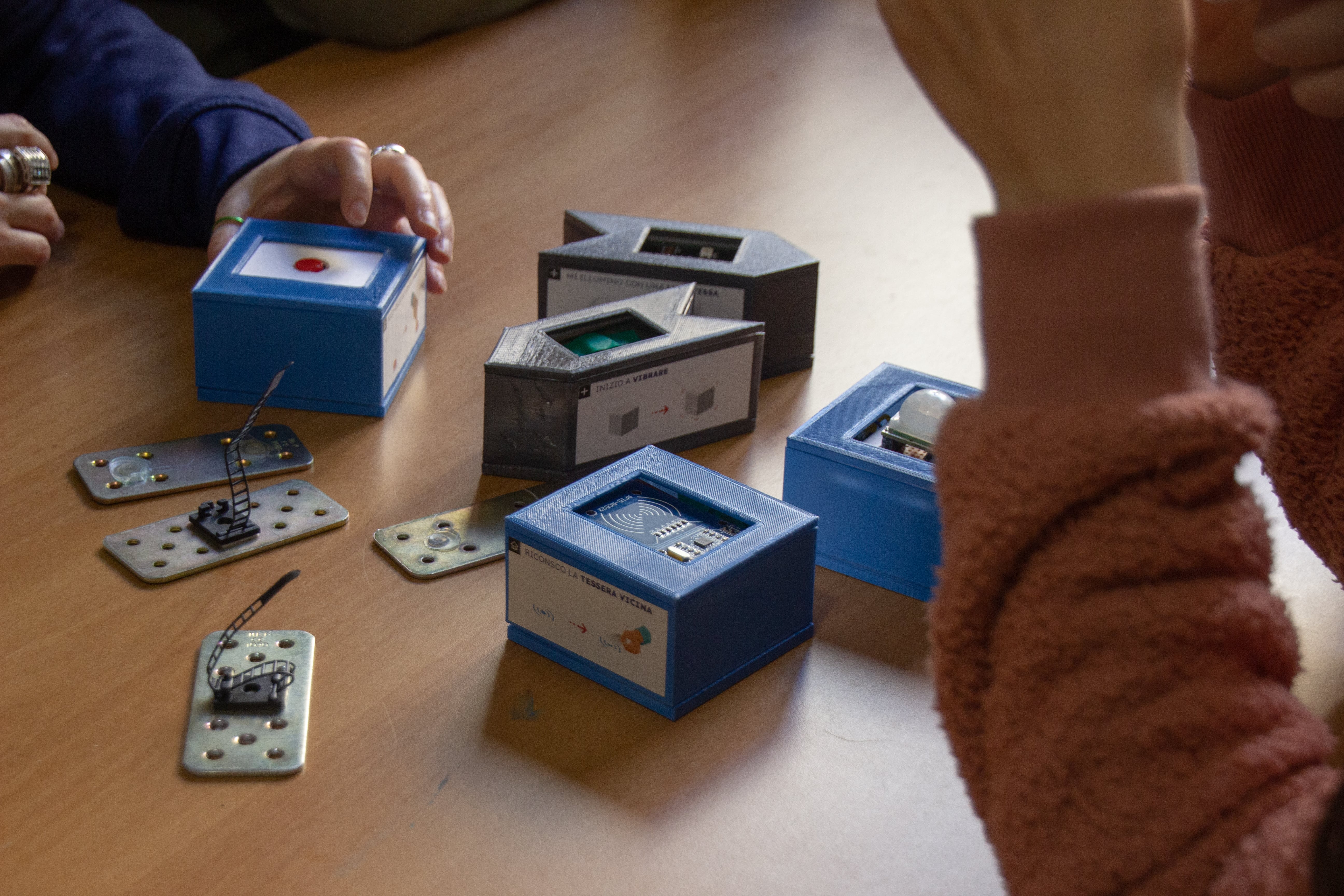
MakeNodes breaks down the concept of "smart object" into individual, connectable sensor and actuator nodes. Users pair nodes through physical manipulation — either by bringing them into direct contact or by using a "Magic Wand" scanning tool — to create trigger-action networks: a motion sensor that activates a buzzer, a button that turns on a light.
Color coding distinguishes sensors (gray, arrow-shaped) from actuators (blue, square-shaped). Dual labels combine illustrations and text. Magnets let nodes attach to any metallic surface or everyday object. Immediate sensory feedback confirms every action.
From design principles to working hardware.
Designed the node enclosures, the color/shape coding system, the dual-label scheme, and the two pairing modalities (proximity and Magic Wand). Each design choice was grounded in co-design sessions and literature on cognitive accessibility.
Developed the nodes using ESP8266 boards, RFID readers/tags, and custom 3D-printed PETG enclosures. Designed the networking layer (SSDP auto-discovery, HTTP commands, Raspberry Pi hub) that coordinates the entire ecosystem.
Planned and ran 3 workshops with 12 adults with intellectual disabilities and their caregivers at Fraternità&Amicizia, a non-profit in Milan. Designed the two-phase methodology: Phase 1 (color and shape co-design tasks) informed the toolkit's visual language; Phase 2 (embodied exploration + naturalistic observation) tested usability and engagement.
Analyzed video transcriptions, adapted SUS questionnaires, caregiver feedback, and the color/shape task data to produce design guidelines for accessible IoT toolkits.
Every design decision in one object.
Intuitive vs. engaging — a design tension.
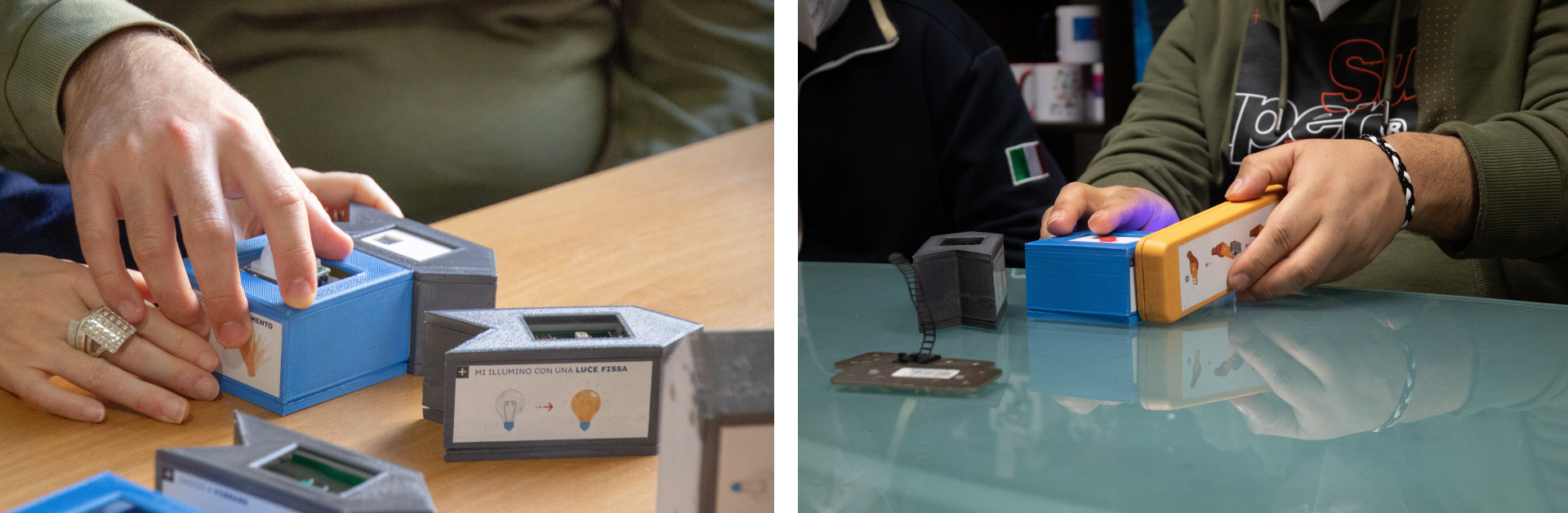
Two nodes brought together — shape-matching guides alignment. Zero errors, no assistance needed.
Most intuitiveUser scans sensor, then actuator(s). LED strip provides progressive feedback. Higher learning curve, but more engaging.
Preferred by 8/12 participants12 participants, 12 working solutions, zero researcher interventions.
All participant groups successfully identified real-life problems and built working sensor-actuator networks — from bathroom occupancy signals to intruder alerts to crowded-room notifications. Participants from the micro-community (shared apartment) showed the strongest engagement, generating the most ideas and reflecting most deeply on their daily challenges.
Real problems, real solutions.
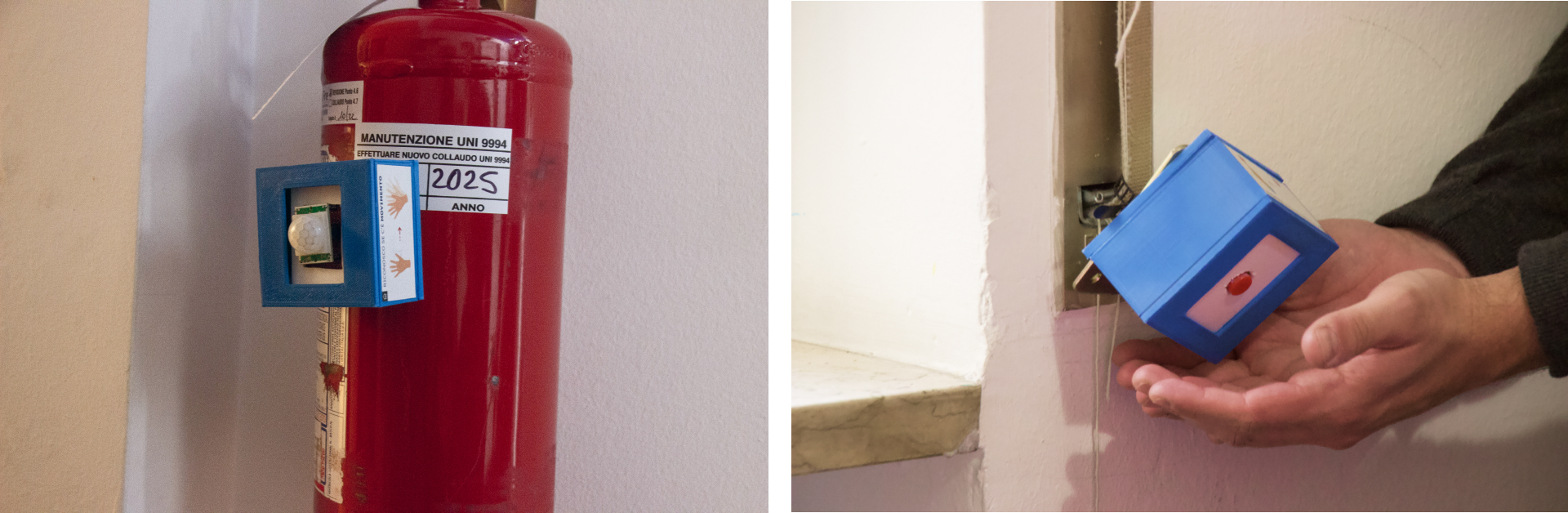
A button attached to the toilet seat paired with a color-changing LED outside the door. Pressing the button turns the light red, signaling the bathroom is occupied.
A PIR motion sensor placed near the window, paired with a buzzer on the bedside table. Triggered by movement near the window at night.
A wall-mounted button paired with a multi-color LED on the door. Anyone can press the button to signal the room is too full; the light warns others not to enter.
An RFID reader at the center of a table paired with vibration motors on each chair. Scanning a personal tag signals everyone to quiet down — designed for group settings where verbal communication is difficult.
Three findings that go beyond this toolkit.
Participants who designed for spaces they felt ownership over (their shared apartment) generated more ideas and needed less prompting than those designing for communal day-center spaces. Personal stakes matter more than familiarity.
Color coding and shape differentiation helped users distinguish sensors from actuators after a brief explanation. However, no participant figured out the pairing mechanism through exploration alone. Embodied cues work best when paired with a short guided demo.
Proximity pairing was the most intuitive method — fewer errors, no assistance needed. Yet 8 out of 12 participants preferred the Magic Wand on the questionnaire, drawn by its interactive LED feedback. The lesson: engagement features can outweigh ease-of-use in user preference, even when they add friction.
MakeNodes revealed a key limitation: while effective for simple sensor-actuator pairings, the manual approach couldn't scale to more complex configurations or evolving needs. Users also needed external support to conceptualize real-life scenarios.
These insights directly informed the design of Smartifier, which replaces the physical pairing with an LLM-driven conversational interface — keeping the same user-centered philosophy but extending the system's expressiveness and scalability.
See Smartifier →